


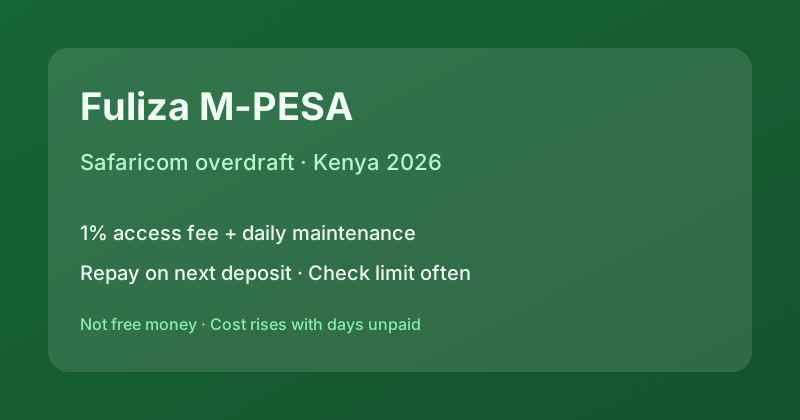
U3-22-KE-20260724Fuliza M-PESA is Safaricom’s active overdraft facility that lets you complete M-PESA sends and Lipa Na M-PESA payments when your wallet balance is short. In 2026 it still runs as a partnership: Safaricom provides the rails and scoring data; partner banks (commonly NCBA, KCB and others named in the terms) fund the overdraw. It is not free money—you pay a one-off access fee plus a daily maintenance fee while any balance remains unpaid.
Quick answer: opt in on M-PESA, get a personal overdraw limit, finish the transaction, then repay automatically when money next hits your M-PESA. Clear balances fast: daily fees stack even when the rate looks “small”.
How Fuliza works
After opt-in, Fuliza sits behind ordinary M-PESA flows. If a send or pay bill needs more than your balance, the shortfall is covered up to your limit. You do not apply for a separate loan form each time. Limits are individual, reviewed over time based on usage, and shown in the Fuliza/Discover menus or via USSD prompts Safaricom publishes.
Repayment is automatic on the next deposit into M-PESA. Facility terms describe a maximum period for the overdraw (commonly discussed as about 30 days in consumer guides—confirm the SMS and current terms). If you stay unpaid, daily fees continue and the partner bank may pursue recovery under the published terms.
| Outstanding band (KES) | Daily fee (incl. ~20% excise, refs) | Notes |
|---|---|---|
| 0–100 | KES 0 | Access fee still applies on use |
| 101–500 | ~KES 3 total | Often free first 3 days (maintenance) |
| 501–1,000 | ~KES 6 total | Often free first 3 days (maintenance) |
| 1,001–1,500 | ~KES 21.6 total | No multi-day free band in many tables |
| 1,501–2,500 | ~KES 24 total | Flat daily |
| 2,501–70,000 | ~KES 30 total (cap) | Max daily maintenance band |
Plus a one-off ~1% access fee on the amount drawn. Excise duty (~20%) is applied to fee components as per KRA rules reflected in Safaricom’s tariff tables. Always open the live tariff on safaricom.co.ke before relying on a blog table—bands have been restructured in past years.
The chart is for orientation using published band totals (maintenance + excise style). It is not your personal APR. Leaving KES 3,000 unpaid for 20 days at the top daily band is roughly KES 600 in maintenance alone—before access fee—so short-term use only.
Limits and eligibility
You need an active M-PESA line and to opt into Fuliza. The overdraw limit is scored from usage history; heavy, clean repayment can grow it, while default risk can shrink or block it. Merchant variants (Fuliza Biashara) exist for business wallets with separate terms—do not mix consumer and merchant product rules.
Fuliza vs M-Shwari vs app lenders
Fuliza is for completing a transaction now with automatic recovery on next deposit. M-Shwari (NCBA × Safaricom) is a savings-and-loan style product with discrete loan requests and different fee schedules. Apps like Tala or Branch are separate digital credit with their own pricing and CRB reporting. Use Fuliza for hours-to-days gaps; use M-Shwari or a bank/app loan when you need a planned multi-week facility with a fixed schedule. See also mobile loans in Kenya.
Honest cost and risks
Because fees are daily, rolling Fuliza every week can cost more than a short formal loan. Continuous overdraw also trains your budget to run negative. Credit information sharing may capture serious delinquency depending on partner bank processes—treat unpaid Fuliza as real debt, not “airtime credit”.
Tips for July 2026: (1) check your limit before big Lipa Na M-PESA payments; (2) deposit enough the same day to clear the overdraw; (3) avoid stacking Fuliza with multiple app loans; (4) if you cannot clear within a few days, stop new overdraws and talk to the bank partner channels listed by Safaricom; (5) ignore SMS “boost Fuliza limit” phishing—use official *334# / app menus only.
Step-by-step: using Fuliza safely
1) Confirm you are opted in and note today’s limit. 2) Before a large Lipa Na M-PESA payment, check that your expected deposit will clear the overdraw the same day. 3) After the transaction, open mini-statement to see access fee and any maintenance already applied. 4) Deposit funds promptly—waiting a week on a mid-band balance multiplies daily charges. 5) If you miss deposits for many days, stop new overdraws and contact official Safaricom or partner bank channels listed on safaricom.co.ke.
Business owners should separate personal Fuliza from Fuliza Biashara (merchant overdraw). Mixing personal and till cash flows makes fee tracking harder and can confuse repayment priority.
Reading the real annual cost
Fuliza is priced in daily shillings, not a single APR sticker. To compare with a monthly app loan, multiply expected daily fees by days you stay unpaid and add the 1% access fee. Example: KES 2,000 outstanding for 10 days near the top daily band (~KES 30/day) is about KES 300 maintenance plus ~KES 20 access fee—before you even count opportunity cost. A one-week gap is manageable; a three-month habit is expensive relative to a structured short loan.
Central Bank of Kenya oversees payment systems and partner banks; consumer guides should still treat published Safaricom tariffs as primary. When blogs disagree on bands, prefer the operator’s current page and the SMS terms you accepted at opt-in.
How to opt in and check status
Use the Fuliza menu inside M-PESA (app or USSD path Safaricom advertises). Accept the terms, then confirm your limit. After each use, mini-statements show fees. Keep screenshots if you dispute a charge. Shop agents can guide you, but never share your M-PESA PIN.
U3-23-LINK-MSHWARIFor NCBA×Safaricom short loans, see M-Shwari loan (fees and limits, July 2026).